Getting SMART About Your Data: Why Drive Health Isn't Enough.
Since TrueNAS 25.10 stripped the SMART test scheduling and results screens out of the GUI, and 26-BETA still hasn't brought them back, there have been pitchforks and torches on the doorstep of iX Systems, with users demanding iX "give them back their data protection!"
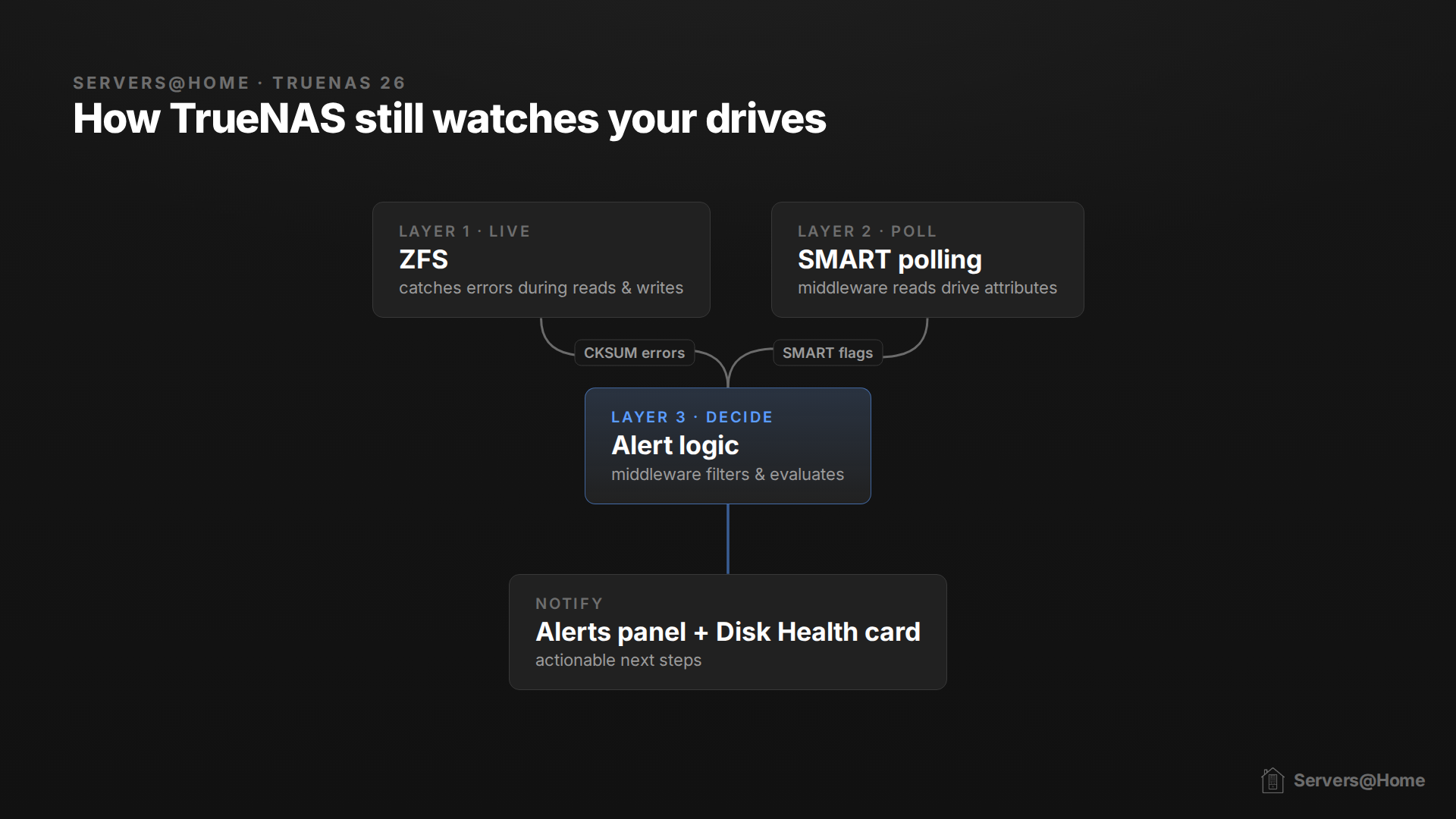
iX didn't remove your data protection, and they didn't even remove SMART. They removed the interface, not the plumbing. SMART is still running under the hood. TrueNAS middleware automatically polls the SMART data on every drive and raises alerts on critical health indicators, as part of what iX now calls Drive Health Management. What you don't get automatically anymore is the recurring self-tests (the periodic short and long offline scans). There's no GUI scheduler for them in 25.10 or 26-BETA, so those are now on you to set up via cron or the CLI.
How Smart is SMART?
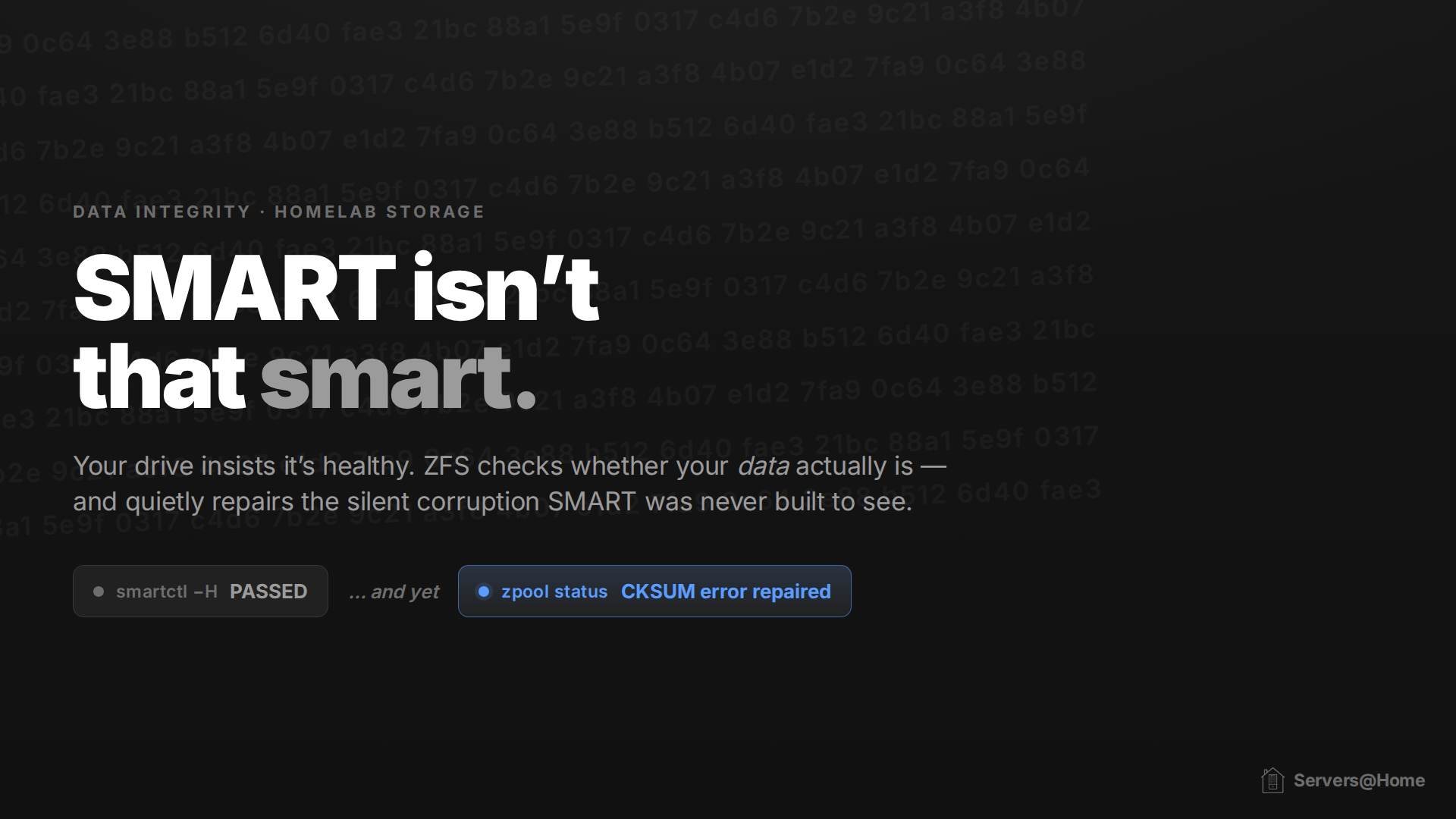
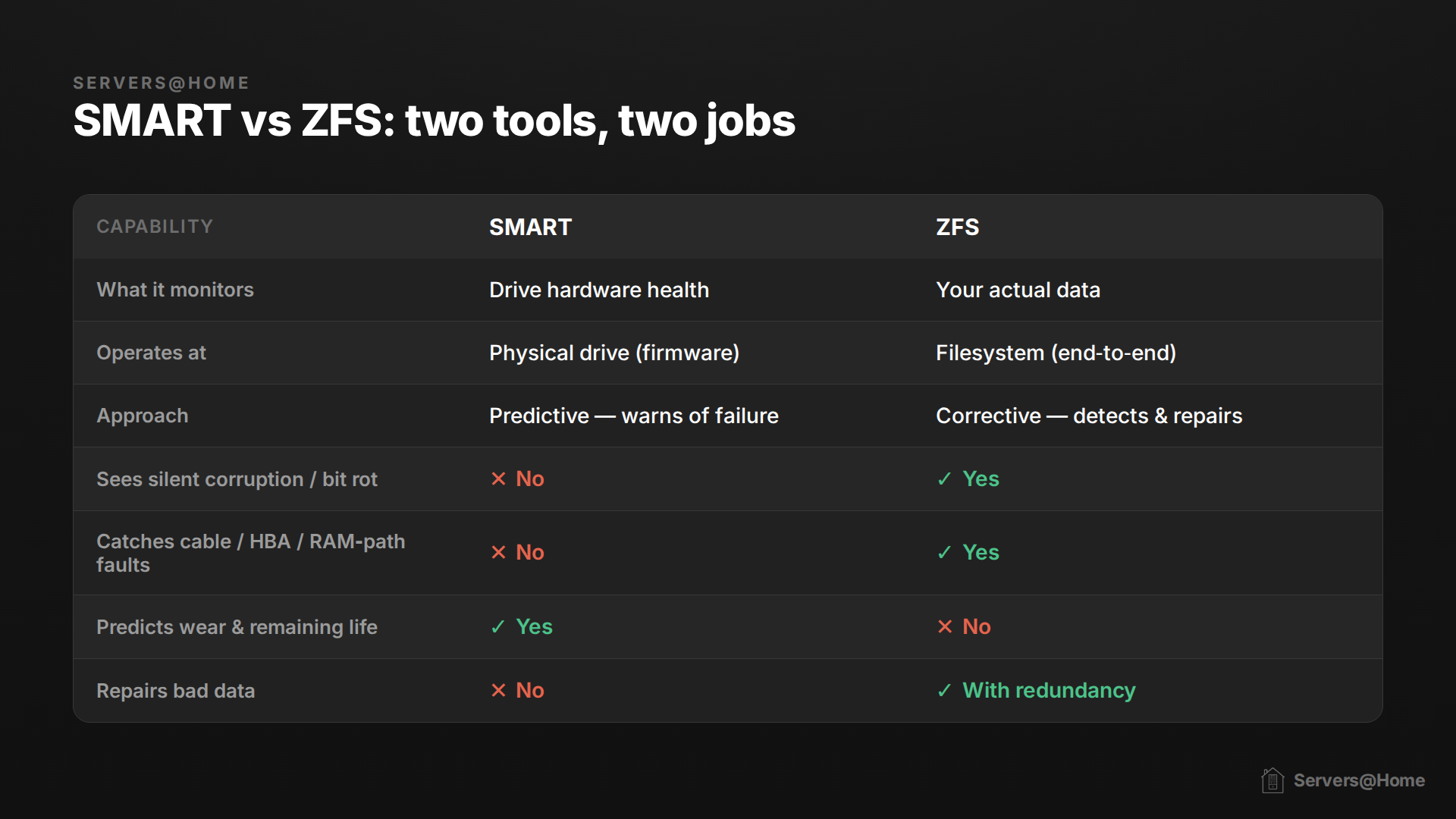
SMART is one half of the data safety equation. It monitors the physical health of the drive but has no idea about what data is stored within. That's still a necessary component of data safety, since ZFS (the file system used by TrueNAS) can only see your data and can infer nothing about the health of the hard drive(s) that data lives on.
SMART data can be very useful. By watching five key metrics over time, you can catch a large share of failures before they happen. Backblaze found that across the drives that actually died, about 77% had already tripped a warning on at least one of these five:
- SMART 5, Reallocated Sectors Count: sectors remapped to spare area after read/write errors.
- SMART 197, Current Pending Sector Count: bad sectors awaiting reallocation; per practitioners this should always be 0.
- SMART 198, (Offline) Uncorrectable Sector Count: sectors with uncorrectable read errors.
- SMART 187, Reported Uncorrectable Errors: reads ECC couldn't correct.
- SMART 188, Command Timeout: aborted operations due to drive timeout.
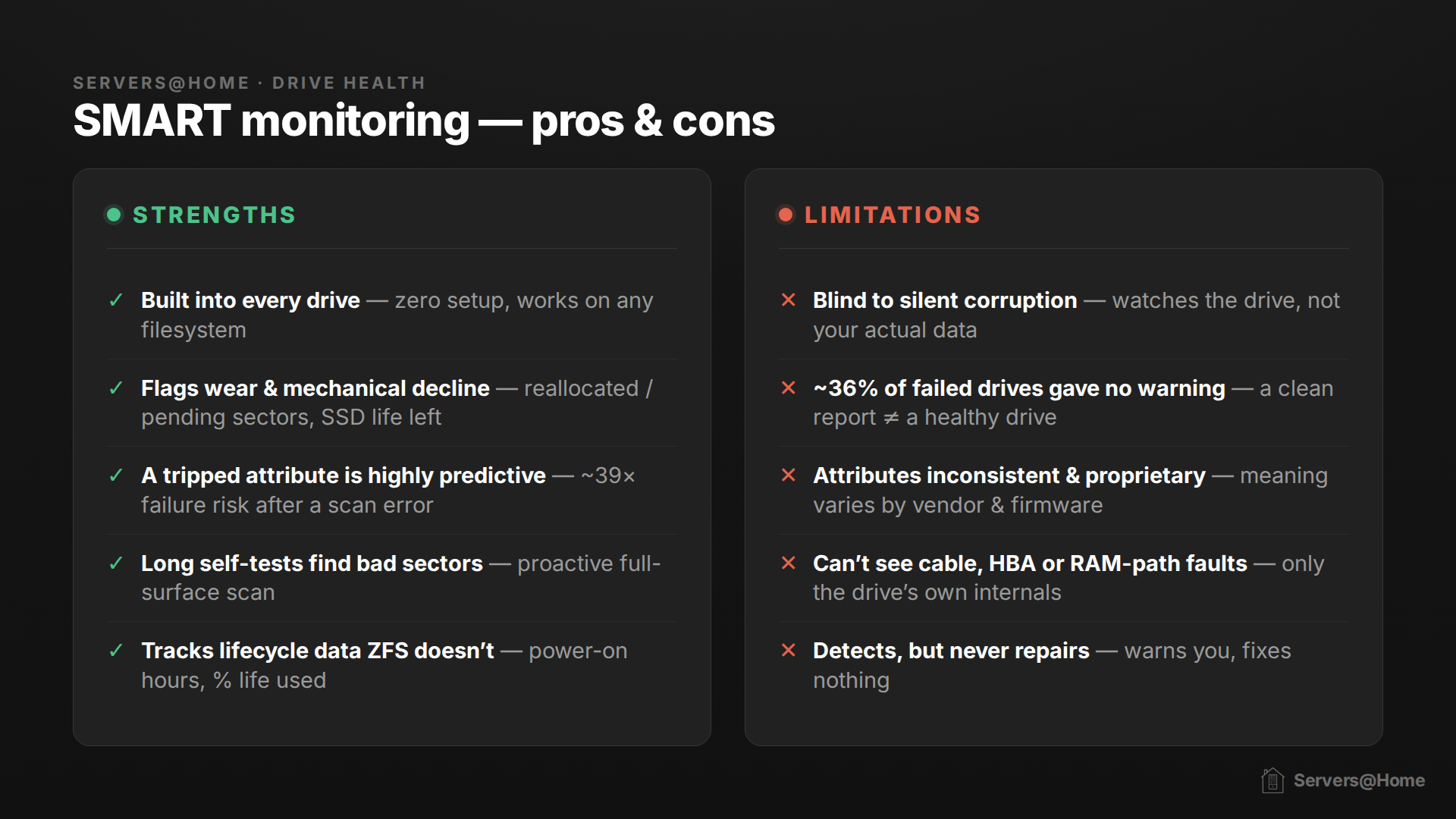
That said, SMART is far from a crystal ball. In a Google study (Pinheiro, Weber & Barroso, "Failure Trends in a Large Disk Drive Population," FAST '07) across 100,000+ consumer drives, Google found:
- 36% of failed drives recorded no SMART error at all (other than temperature).
- 56% of failed drives tripped none of the "four strong SMART warnings" (scan errors, reallocation count, offline reallocation, probational count).
The values being measured are also reported by the drive's own firmware, about itself. The normalization algorithm and many raw-value meanings are proprietary and vary by manufacturer (hence why Seagate famously fails here).
The important thing to take away: there is no other tool for monitoring the health of the hardware. SMART is your only option, and it does work when you look at the combined results of those five metrics over time.
ZFS to the Rescue?
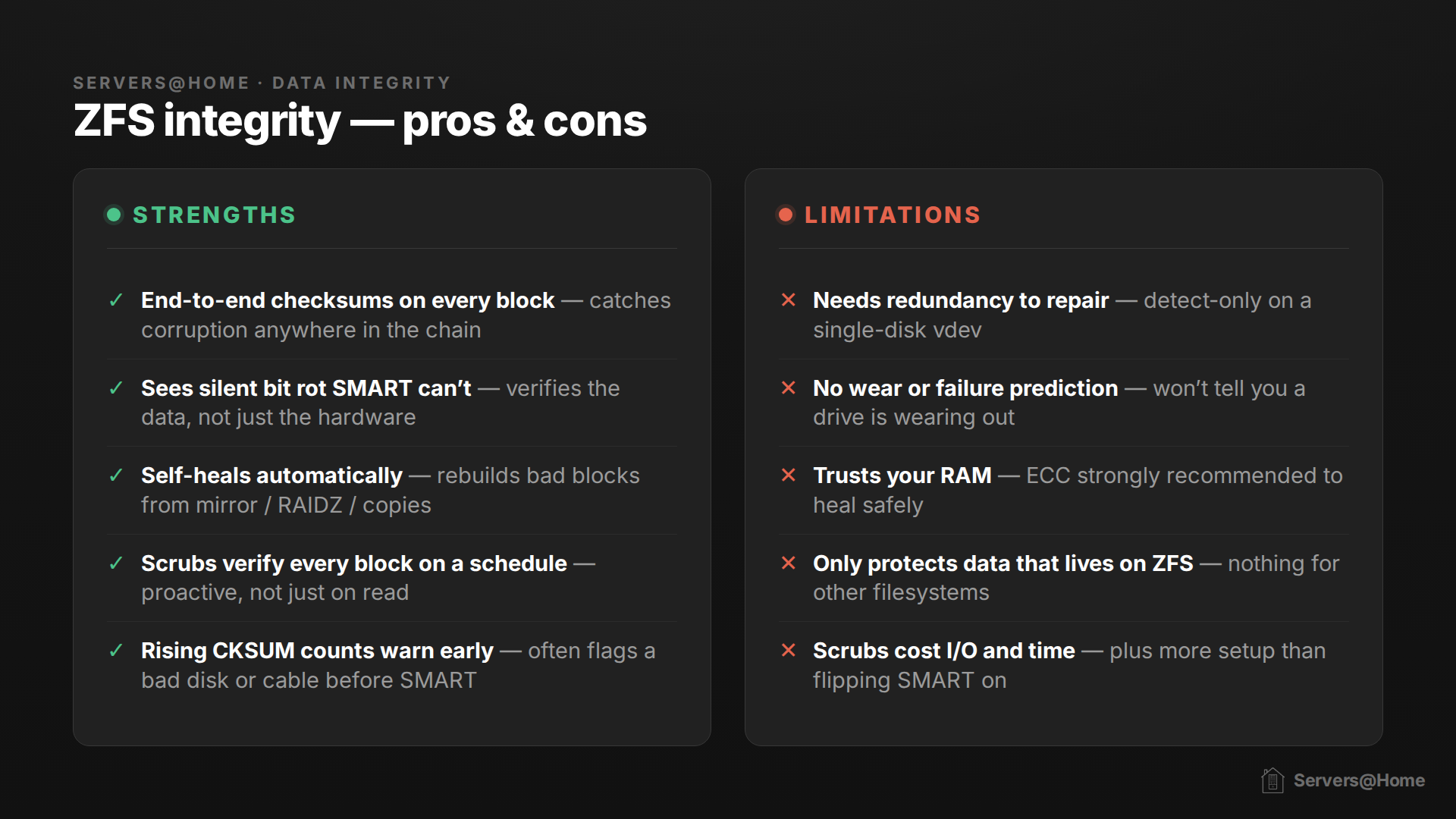
ZFS does one thing very, very well: it knows whether or not the actual blocks of data on your disk are healthy. ZFS functions by checksumming data. A checksum is a small fingerprint calculated from a chunk of data. If ZFS later recomputes it and the fingerprint doesn't match the one it saved, it knows the data has changed or gone bad. ZFS verifies the checksum every time data is read, and a scrub forces a read of every block, so it's constantly watching for errors.
ZFS has some magic in it. If the checksum doesn't match and your pool has redundancy (a mirror or any RAIDZ level), ZFS can reconstruct the bad block from the other drives and self-heal automatically. ZFS even keeps extra copies of its own metadata by default, so it can repair some things even on a single disk, but for your actual data you want real redundancy.
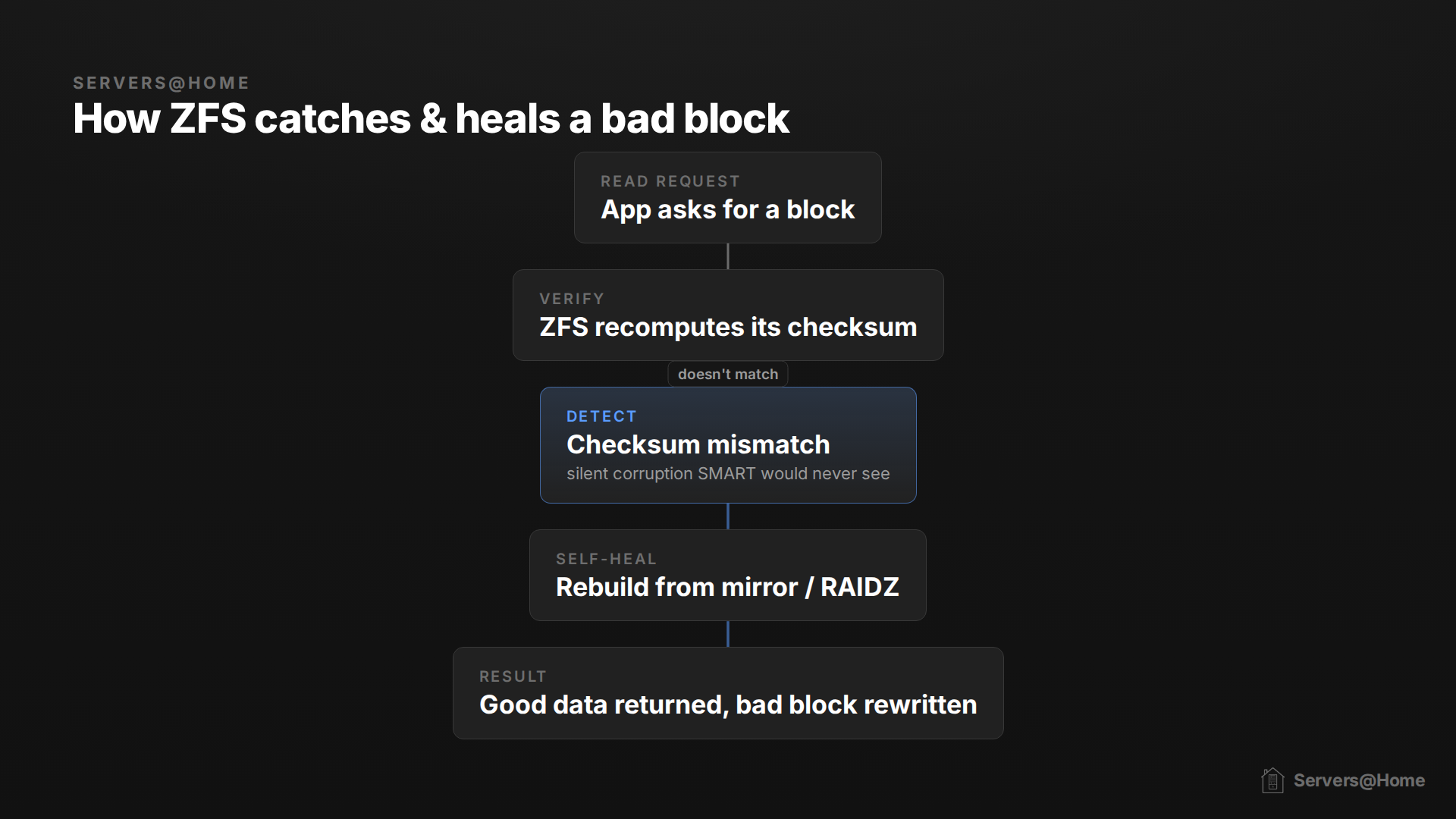
This is why the scheduled scrub task is priceless for ZFS: a scrub reads every block of data, forcing ZFS to checksum the entire disk and self-heal if necessary. Data that may go long periods of time without reads can be caught before bit-rot ruins the integrity.
There are a few things ZFS cannot do:
- If the CPU or RAM hands ZFS bad data before the checksum is written, ZFS will faithfully checksum the garbage and everything will look fine, which is exactly why ECC RAM matters on a ZFS box.
- ZFS scrubs verify that every block matches its checksum, but they can't judge whether the logic of ZFS's internal allocation maps (space maps) is sound. A scrub will catch a space map that's been corrupted on disk, but if a software bug writes a space map that's wrong yet still has a valid checksum, the scrub sees nothing amiss.
- ZFS doesn't decrypt or decompress data blocks during a scrub. Logical corruption arising from native encryption bugs or compression anomalies stays completely hidden during a scrub, only surfacing when an application actually tries to decompress or decrypt the data.
Teamwork Makes the Dream Work
You can deduce some very important things by having data from both SMART and ZFS and using them to flush out false positives and breaks in your chain. For example, when zpool status shows CKSUM/READ/WRITE errors, correlate before you conclude. If SMART is clean but ZFS errors climb, suspect the cable, backplane, HBA, or PSU first. Reseat or replace the transport path before condemning the drive. If SMART shows reallocations, pending sectors, or uncorrectables, replace the drive.
What You Should Do
Passive SMART monitoring and alerting is automatic on TrueNAS. The recurring self-tests are no longer scheduled for you and since those full-surface scans are what proactively catch bad sectors, you'll want to set them up yourself. Options include a cron job calling smartctl, the unsupported one-liner midclt call disk.smart_test {SHORT|LONG} '["*"]', or an app like Scrutiny from the TrueNAS apps catalog. Aim for daily short tests and weekly or monthly long tests.
On the ZFS side, make sure scrubs are scheduled for your pools to run weekly or monthly during quiet hours. Don't run a long SMART test and a scrub (or resilver) at the same time; SMART self-tests can take disks offline and you don't want them colliding.
If you get a SMART warning, don't dismiss it out of hand, but cross-check zpool status to decide whether it's a genuinely failing drive or a transport issue masquerading as one. And most importantly: have backups. Drives die, and ZFS isn't a magic bullet. There is no substitute for a 3-2-1 backup architecture.